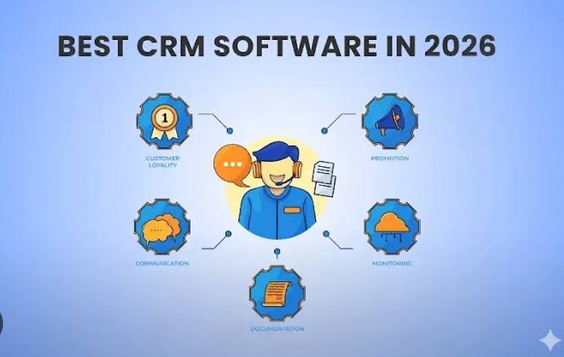
Managing customer relationships is one of the most important parts of running a successful small business. Whether a company provides professional services, sells products online, operates a real estate agency, or offers consulting services, maintaining strong relationships with customers can directly influence sales, customer satisfaction, and long-term growth.
However, managing customer information through spreadsheets, emails, notebooks, and separate applications can quickly become difficult. Business owners may lose track of potential customers, forget follow-up calls, miss sales opportunities, or struggle to understand which marketing activities generate the best results.
This is where cloud-based Customer Relationship Management (CRM) software becomes valuable. A cloud-based CRM system allows businesses to store customer information, manage sales activities, automate repetitive tasks, and access important business data through an internet connection. Because the software is hosted online, employees can usually access it from different locations and devices without maintaining their own servers.
In 2026, small businesses have access to a wide range of CRM platforms, including affordable beginner-friendly solutions and advanced systems with artificial intelligence, sales automation, reporting, and marketing tools.
Choosing the right platform depends on a company’s budget, team size, sales process, and future growth plans. This guide explores the best cloud-based CRM software for small businesses in 2026, compares their features, and explains how to select the right solution.
What Is Cloud-Based CRM Software?
Cloud-based CRM software is an online platform designed to help businesses organize and manage their relationships with customers. Instead of installing and maintaining the entire system on a local computer or company server, users access the software through a web browser or mobile application.
The CRM platform stores customer records, communication histories, sales opportunities, tasks, and other information in a centralized system. Authorized team members can access the information according to their permissions.
For example, when a potential customer contacts a company through its website, the CRM can record the inquiry, assign it to a salesperson, schedule a follow-up reminder, and track the opportunity until it becomes a sale.
Many modern CRM systems also include integrations with email platforms, calendars, customer support tools, e-commerce applications, and marketing software.
Key Features of Cloud-Based CRM Platforms
Common features include:
- Contact management: Store customer names, phone numbers, email addresses, company details, and communication histories.
- Lead management: Capture potential customers and track their progress toward becoming paying clients.
- Sales pipeline management: Monitor opportunities through different stages of the sales process.
- Task automation: Automate reminders, follow-up emails, notifications, and repetitive administrative work.
- Reporting and analytics: Review sales performance, conversion rates, and team productivity.
- Team collaboration: Allow employees to share customer information and coordinate activities.
- Mobile access: Manage customer relationships while working remotely or visiting clients.
- Artificial intelligence: Use supported AI features to summarize conversations, assist with writing, analyze information, and automate selected tasks.
The availability of these features depends on the CRM provider and subscription plan.
Benefits of Cloud-Based CRM Software for Small Businesses
1. Centralized Customer Information
Small businesses often store customer information in multiple places. One employee might use a spreadsheet, another might maintain email folders, and the owner might keep important details in a notebook.
This scattered approach creates confusion and increases the possibility of losing information.
A cloud CRM creates a centralized customer database. Employees can view relevant contact information, previous conversations, sales opportunities, and scheduled activities from one location.
This helps businesses deliver more consistent service and reduces unnecessary administrative work.
2. Improved Lead Management
Generating leads is only the first step toward increasing revenue. Businesses must also respond to inquiries quickly, qualify prospects, and maintain communication throughout the sales process.
CRM software helps track every lead and assign responsibility to the appropriate employee.
For example, a digital marketing agency receiving 50 inquiries each week can use a CRM to identify new prospects, assign leads to sales representatives, and monitor which inquiries require immediate attention.
This organized approach reduces the likelihood of overlooking potential customers.
3. Better Customer Relationships
Customers expect businesses to understand their needs and provide timely assistance. A CRM helps employees review previous interactions before contacting a customer.
This context allows businesses to offer more relevant recommendations, respond to questions efficiently, and maintain personalized communication.
Over time, better customer experiences can encourage repeat purchases, referrals, and stronger customer loyalty.
4. Increased Productivity Through Automation
Many small businesses spend considerable time on repetitive tasks, including entering contact details, scheduling meetings, sending reminders, and updating sales records.
Cloud CRM platforms can automate many of these activities.
Depending on the selected system, a new lead may automatically receive an acknowledgment email, appear in a salesperson’s task list, and trigger a reminder if no response is recorded.
Automation gives employees more time to focus on customer conversations and revenue-generating activities.
5. Flexible Access for Remote Teams
Cloud-based systems are particularly useful for businesses with remote employees, traveling sales representatives, or multiple office locations.
Authorized users can access information from supported computers and mobile devices without needing to connect to a company’s physical server.
This flexibility can improve collaboration and help teams remain productive outside the traditional office environment.
6. Easier Business Growth
A small business may initially have only a few employees and a limited number of customers. As the company grows, its customer database, sales pipeline, and reporting requirements become more complicated.
Cloud CRM software can provide a structured foundation for that growth. Many providers offer plans with additional users, automation, integrations, and reporting capabilities.
However, businesses should check how quickly subscription costs increase when additional users or advanced features are required.
Best Cloud-Based CRM Software for Small Businesses in 2026
The following CRM platforms serve different business needs. Some focus on affordability and simplicity, while others provide extensive customization, sales automation, or integrated marketing tools.
1. HubSpot CRM
Best for: Small businesses that want to start with customer relationship management and expand into sales and marketing tools.
HubSpot CRM is a popular choice for businesses looking for a centralized platform to organize contacts, manage sales opportunities, and improve customer communication.
Its free CRM offering has historically made it attractive to startups, freelancers, and small teams that want to establish a structured sales process without immediately committing to an expensive subscription.
Key Features
HubSpot CRM provides contact management, deal tracking, activity records, task management, and a visual sales pipeline. Businesses can use these tools to track leads from their first interaction through the closing stage.
The broader HubSpot ecosystem includes marketing, customer service, content, and sales products. Businesses can add more capabilities as their requirements become more advanced.
Depending on the selected plan, available tools may include email tracking, meeting scheduling, workflow automation, reporting, and AI-assisted productivity features.
Advantages
- Accessible starting point for small businesses.
- User-friendly interface for many common sales tasks.
- Strong integration across customer-facing business functions.
- Useful tools for tracking customer interactions.
- Opportunities to expand into marketing and service management.
Disadvantages
Some advanced features require paid subscriptions. Costs can increase as businesses add users, purchase additional products, or require more sophisticated automation and reporting.
Companies should also evaluate whether the platform’s broader ecosystem is necessary for their current operations.
Verdict: HubSpot CRM is a strong option for businesses that want to organize customer relationships today while leaving room to build a more comprehensive sales and marketing system later.
2. Zoho CRM
Best for: Small businesses seeking customization, automation, and a broad range of business software integrations.
Zoho CRM offers tools for managing contacts, leads, deals, sales activities, and customer communication. It is suitable for businesses that need more structure than a spreadsheet but want flexibility in how they manage their sales process.
One of its main attractions is its connection to the broader Zoho software ecosystem, which includes applications for accounting, email, customer support, project management, and other business functions.
Key Features
Zoho CRM supports lead assignment, sales pipeline management, workflow rules, task reminders, reports, and dashboards. Depending on the plan, users may also have access to sales forecasting, advanced automation, and AI-supported assistance.
Businesses can customize fields and workflows to reflect their own sales processes.
For example, a consulting company can create stages for initial inquiries, discovery meetings, proposals, negotiations, and completed projects.
Advantages
- Flexible customization options.
- Multiple subscription tiers for different business needs.
- Broad ecosystem of connected applications.
- Sales automation and reporting capabilities.
- Suitable for businesses with structured sales processes.
Disadvantages
The range of features can create a learning curve for new users. Advanced customization may also require careful setup and ongoing administration.
Some integrations and capabilities depend on subscription level.
Verdict: Zoho CRM is worth considering for small businesses that want a configurable CRM with room for more advanced automation as their operations develop.
3. Salesforce Sales Cloud
Best for: Growing small businesses with complex sales processes and ambitious expansion plans.
Salesforce Sales Cloud is a comprehensive CRM platform designed to help businesses manage customer relationships, sales opportunities, forecasting, and team performance.
Although Salesforce is associated with larger organizations, some small businesses also use it when they need advanced customization and a system capable of supporting complex sales operations.
Key Features
Salesforce offers account and contact management, lead tracking, opportunity management, sales dashboards, workflow automation, and reporting.
Its wider platform supports integrations, customized applications, and AI-assisted sales capabilities, subject to product availability and subscription requirements.
Businesses can configure the CRM around their sales process and connect it with other business systems.
For example, a growing software company may use Salesforce to track inbound leads, manage sales representatives, forecast revenue, and monitor opportunities across multiple markets.
Advantages
- Extensive customization potential.
- Powerful sales reporting and forecasting.
- Broad integration and application ecosystem.
- Suitable for complex sales operations.
- Can support changing requirements as a business grows.
Disadvantages
Salesforce can require more implementation effort than simpler CRM systems. Training, customization, additional products, and administration may increase the total cost of ownership.
Small businesses with straightforward sales needs may find the platform unnecessarily complex.
Verdict: Salesforce Sales Cloud is most appropriate for businesses that genuinely need advanced sales management and are prepared to invest in configuration, training, and ongoing administration.
4. Pipedrive
Best for: Small sales teams that want a straightforward, visual sales pipeline.
Pipedrive focuses heavily on helping sales teams organize opportunities and maintain consistent progress through their sales pipelines.
Its visual interface allows users to see where deals stand, identify opportunities requiring attention, and plan their next actions.
This approach can be particularly useful for businesses that depend on consultations, demonstrations, proposals, or negotiations to generate revenue.
Key Features
Pipedrive includes contact management, deal tracking, activity scheduling, pipeline customization, and sales reporting. Depending on the subscription, users may also access workflow automation, email synchronization, and AI-assisted features.
Businesses can define stages that match their sales process and create activities associated with individual deals.
For instance, a web development agency might track a prospect from initial inquiry to consultation, quotation, negotiation, and project confirmation.
Advantages
- Visual and sales-focused interface.
- Practical deal and activity management.
- Customizable sales stages.
- Helpful tools for maintaining follow-up discipline.
- Suitable for teams that prioritize sales execution.
Disadvantages
Businesses looking for an extensive all-in-one marketing and customer service suite may need additional applications.
Certain automation, reporting, and AI capabilities may require higher-tier subscriptions or add-ons.
Verdict: Pipedrive is a strong candidate for small businesses that want to improve sales organization without adopting an overly complicated platform.
5. Freshsales
Best for: Small businesses seeking sales automation and integrated customer communication.
Freshsales is a sales CRM from Freshworks. It helps businesses organize customer records, track deals, manage activities, and coordinate sales conversations.
It is particularly relevant to businesses that want a sales-focused CRM with communication and automation capabilities in one environment.
Key Features
Freshsales provides contact and account management, deal pipelines, activity tracking, and sales reporting. Depending on the plan, businesses may also access communication tools, workflow automation, AI-supported lead prioritization, and other productivity features.
These tools can help sales representatives identify prospects requiring attention and organize their daily activities.
Advantages
- Sales-oriented interface.
- Lead and deal management capabilities.
- Automation for selected repetitive tasks.
- Potential integration with broader customer engagement tools.
- Useful reporting and productivity features.
Disadvantages
Advanced features vary by subscription tier. Companies should verify whether their preferred communication channels, integrations, and automation options are included in the plan they intend to purchase.
Verdict: Freshsales is a practical option for small sales teams that want contact management, deal tracking, and automation without building a system from multiple unrelated tools.
6. monday CRM
Best for: Small businesses that want a customizable CRM with visual workflows and team collaboration.
monday CRM is built around customizable boards, workflow management, and visual organization. It is suitable for businesses that prefer to adapt their CRM to their own processes rather than follow a rigid structure.
Its approach can be useful for agencies, consultancies, service providers, and teams that manage sales alongside other operational activities.
Key Features
Depending on the selected plan, monday CRM supports lead management, contact records, deal tracking, dashboards, workflow automation, and collaboration tools.
Businesses can organize opportunities using custom stages, fields, statuses, and views.
For example, a marketing agency can create a pipeline for new business inquiries while tracking proposal deadlines, assigned team members, expected revenue, and follow-up activities.
Advantages
- Flexible visual organization.
- Customizable workflows and fields.
- Useful collaboration features.
- Dashboards for monitoring business activities.
- Can accommodate different operational processes.
Disadvantages
The platform may require thoughtful configuration to avoid creating overly complicated boards and workflows.
Businesses should also evaluate plan limits, CRM-specific features, and automation allowances before selecting a subscription.
Verdict: monday CRM is worth considering for businesses that value visual workflows and collaboration as much as traditional sales pipeline management.
7. Bigin by Zoho CRM
Best for: Freelancers, startups, and very small businesses that need a simpler CRM.
Bigin is designed to provide essential customer and pipeline management without the complexity of a larger CRM implementation.
It is especially relevant to small teams moving away from spreadsheets or informal record-keeping.
Key Features
Bigin offers contact management, sales pipelines, activity tracking, and business process organization. Depending on the plan, users may also have access to workflow automation, integrations, and communication-related features.
A small consulting firm, for example, can use Bigin to record inquiries, schedule meetings, track proposals, and maintain a clear list of potential clients.
Advantages
- Designed for smaller businesses.
- Easier starting point than many enterprise-oriented platforms.
- Useful sales pipeline tools.
- Connected to the broader Zoho ecosystem.
- Suitable for businesses with straightforward requirements.
Disadvantages
Businesses with complex reporting, advanced customization, or extensive multi-department workflows may eventually need a more capable platform.
Available features and usage limits depend on the selected subscription.
Verdict: Bigin is a sensible starting point for businesses that need organized customer records and deal tracking without paying for a large set of advanced features they may not use.
8. Bitrix24
Best for: Small businesses looking for CRM combined with collaboration and task management.
Bitrix24 combines customer relationship management with a broader set of workplace tools. This can appeal to businesses that want to manage sales, tasks, internal communication, and selected operational activities through one platform.
Key Features
Its CRM capabilities include contact management, lead tracking, deal pipelines, activity management, and reporting. The broader product may also include project and task management, team collaboration, and communication features.
Depending on the subscription, businesses can use automation and other tools to connect customer management with internal workflows.
Advantages
- CRM and collaboration tools in one environment.
- Useful for teams managing sales and projects together.
- Broad set of business functions.
- Potential to reduce the number of separate applications.
Disadvantages
The extensive feature set can make the interface feel crowded for users who only need a simple sales pipeline.
Businesses should examine user limits, storage allowances, automation availability, and the exact features included in their chosen plan.
Verdict: Bitrix24 may suit businesses that want an integrated workspace rather than a CRM focused exclusively on sales.
9. Insightly
Best for: Small businesses that need to connect sales opportunities with project delivery.
Insightly combines CRM capabilities with tools that can help businesses organize projects and customer-related work.
This makes it relevant to service-based companies that need to manage a customer relationship beyond the point when a deal is closed.
Key Features
Insightly provides contact and organization management, lead tracking, opportunity management, reporting, and integration capabilities. Depending on the product and subscription, businesses may also access workflow automation and project-related functions.
A consulting company could use its CRM to manage a prospect, track the proposal, and coordinate the transition into project delivery after the customer agrees to proceed.
Advantages
- Useful for sales and project-oriented operations.
- Helps maintain customer information across business activities.
- Supports reporting and integrations.
- Suitable for certain service-based business models.
Disadvantages
The right combination of CRM and project management capabilities depends on the selected product and plan. Companies should confirm whether the features they need are included rather than assuming every function is available in every subscription.
Verdict: Insightly is worth evaluating when customer acquisition and service delivery need to be connected within the same business workflow.
10. Keap
Best for: Small service businesses that want to combine CRM, follow-up automation, and marketing activities.
Keap focuses on customer management and automation for small businesses. It can be particularly relevant to consultants, coaches, professional service providers, and businesses that depend on repeated customer communication.
Key Features
Depending on the subscription, Keap offers contact management, sales pipelines, automated follow-ups, email marketing capabilities, and tools for organizing customer journeys.
Businesses can create workflows that trigger actions when a lead submits a form, reaches a certain stage, or requires additional communication.
For example, a service provider can organize new inquiries, send follow-up messages, schedule consultations, and maintain communication with existing customers.
Advantages
- Combines customer management with marketing-oriented workflows.
- Useful for automating repetitive follow-ups.
- Relevant to service-based businesses.
- Can help coordinate lead nurturing and sales activities.
Disadvantages
Pricing and available features should be reviewed carefully, particularly for businesses with limited budgets. Some companies may find the platform more extensive than they need if they only require basic contact management.
Verdict: Keap is a candidate for small businesses that want CRM and automated customer communication to work closely together.
Cloud-Based CRM Software Comparison
The following table provides a high-level comparison of the platforms discussed above. Exact capabilities, pricing, and usage limits depend on the provider’s current subscription plans.
| CRM software | Best use case | Main strength | Learning curve |
|---|---|---|---|
| HubSpot CRM | Growing small businesses | Sales and marketing ecosystem | Low to moderate |
| Zoho CRM | Customizable sales operations | Automation and flexibility | Moderate |
| Salesforce Sales Cloud | Complex sales processes | Advanced customization | Moderate to high |
| Pipedrive | Sales-focused teams | Visual sales pipeline | Low to moderate |
| Freshsales | Sales and communication | Sales productivity tools | Low to moderate |
| monday CRM | Visual team workflows | Customization and collaboration | Low to moderate |
| Bigin by Zoho CRM | Freelancers and startups | Simplicity | Low |
| Bitrix24 | Teams needing an integrated workspace | CRM and collaboration | Moderate |
| Insightly | Service and project-based companies | Sales-to-project workflows | Moderate |
| Keap | Automated customer follow-up | CRM and marketing automation | Moderate |
This comparison is intended as a starting point, not a universal ranking. The best CRM is the one that matches a business’s actual workflow, budget, and technical requirements.
How to Choose the Best Cloud-Based CRM for Your Small Business
Selecting a CRM requires more than comparing feature lists. A platform may offer hundreds of capabilities, but those features have little value if employees find the system difficult to use or the business cannot afford to maintain it.
1. Identify Your Business Requirements
Start by identifying the problems you want the CRM to solve.
Do you need to organize customer contacts? Improve lead follow-ups? Track sales representatives? Automate marketing emails? Connect sales with project delivery?
Write down the most important requirements before comparing providers.
For example, a freelance consultant may only need contact records, meeting reminders, and a simple pipeline. A company with ten sales representatives may require lead assignment, performance dashboards, permissions, and automated follow-up tasks.
Choosing a system based on actual requirements helps avoid unnecessary expenses.
2. Establish a Realistic Budget
CRM subscription prices can vary considerably depending on the provider, billing frequency, number of users, and selected features.
When evaluating costs, consider more than the advertised starting price.
Your total cost may include:
- Monthly or annual subscription fees.
- Additional user licenses.
- Premium automation or reporting features.
- Data migration and initial configuration.
- Employee training.
- Paid integrations or third-party applications.
- Professional implementation services.
A free plan can be a good starting point, but businesses should check its contact limits, user restrictions, automation allowances, and reporting capabilities.
Also compare monthly billing with annual commitments and confirm the renewal terms before purchasing.
3. Evaluate Ease of Use
A CRM should simplify work rather than introduce unnecessary complexity.
During a free trial or demonstration, test common tasks such as creating a contact, adding a lead, updating a deal, scheduling a reminder, and generating a report.
Ask employees who will use the system regularly to participate in the evaluation.
A straightforward platform that employees use consistently may provide more value than an advanced system that requires extensive training.
4. Check Integration Options
Small businesses frequently rely on multiple applications for email, calendars, accounting, marketing, customer support, and project management.
Your CRM should connect with the tools that are essential to daily operations.
Before purchasing, check whether the provider supports the required integrations natively, through an approved marketplace, or through an automation service.
Also determine whether the integrations are available on your intended subscription plan and whether additional fees apply.
5. Review Automation Capabilities
Automation can help small teams maintain consistent processes as customer numbers increase.
However, businesses should begin with a few useful workflows rather than automating every activity immediately.
Examples include assigning new leads, sending internal notifications, creating follow-up tasks, and reminding employees about inactive opportunities.
Review how automation rules are configured, whether failures are reported, and how easily employees can troubleshoot problems.
6. Consider Mobile Access
Business owners and sales representatives may need customer information while traveling, visiting clients, or working remotely.
Check whether the CRM has mobile applications for the devices your employees use.
Test essential functions, including contact searches, activity updates, task completion, and meeting notes.
If employees frequently work in locations with unreliable internet access, verify which functions, if any, remain available offline.
7. Examine Security and Data Protection
CRM systems can contain customer contact details, purchase histories, business correspondence, and commercially sensitive information.
Before selecting a provider, review its security controls and data handling practices.
Important considerations include access permissions, multifactor authentication, encryption, backup arrangements, audit logs, and options for exporting or deleting data.
Businesses handling personal information should also consider applicable privacy laws, contractual requirements, and the locations in which customer data is processed.
A cloud service reduces the need to manage physical infrastructure, but it does not eliminate the business’s responsibility to protect customer information.
8. Check Scalability and Exit Options
Your business may eventually need more users, additional sales pipelines, advanced reporting, or new integrations.
Select a CRM that can accommodate reasonable future growth without requiring a disruptive migration.
At the same time, understand how to export customer records, activities, and other important data if you decide to change providers.
A clear exit process reduces dependence on a single vendor and helps protect business continuity.
How Small Businesses Can Implement CRM Successfully
Purchasing CRM software is only the beginning. Successful implementation requires a clear process and consistent employee participation.
Step 1: Clean Your Existing Customer Data
Before importing information, remove duplicate records, correct invalid email addresses, standardize company names, and identify incomplete contact details.
Importing poor-quality information can make the new CRM confusing from the start.
Keep a backup of the original records before making major changes.
Step 2: Create a Practical Sales Pipeline
Define the stages a potential customer passes through before becoming a paying client.
A simple pipeline might include:
- New lead.
- Contact attempted.
- Qualified prospect.
- Meeting scheduled.
- Proposal sent.
- Negotiation.
- Won or lost.
Adapt the stages to your business rather than copying another company’s process.
Each stage should have a clear meaning so employees can update records consistently.
Step 3: Assign Responsibilities
Decide who is responsible for managing new inquiries, updating customer records, following up on opportunities, and maintaining data quality.
If several employees work on the same customer account, define how notes and communication histories should be recorded.
Clear responsibilities help prevent missed tasks and conflicting customer communications.
Step 4: Automate High-Value Activities First
Begin with simple, useful workflows.
For example, automatically assign new leads to the appropriate salesperson and create a reminder when a follow-up is due.
After the team becomes comfortable with these workflows, consider more advanced automation.
Test each workflow carefully to avoid duplicate messages, incorrect assignments, or unnecessary notifications.
Step 5: Train Employees
Explain how the CRM fits into everyday work and demonstrate the tasks employees are expected to complete.
Provide short written instructions or internal guides for common processes.
Training should focus on practical activities rather than attempting to explain every feature of the platform.
Step 6: Measure Results
Review CRM data regularly to understand whether the system is improving business performance.
Useful metrics include:
- Number of new leads generated.
- Average response time to new inquiries.
- Lead-to-customer conversion rate.
- Number of open sales opportunities.
- Average time required to close a deal.
- Follow-up completion rate.
- Customer retention and repeat purchases.
These measurements help businesses identify weaknesses and make better decisions about their sales processes.
Common CRM Mistakes Small Businesses Should Avoid
Choosing Too Many Features
Advanced features can be attractive, but unnecessary complexity increases implementation time and costs. Start with essential functions and expand only when the business has a clear need.
Failing to Keep Records Updated
A CRM is only useful when its information is accurate. Establish a simple process for recording important conversations, updating sales stages, and correcting customer details.
Ignoring Employee Feedback
Employees who use the system daily often identify practical problems that management overlooks. Collect feedback and adjust workflows when necessary.
Automating Poor Processes
Automation does not automatically improve a broken sales process. First establish clear responsibilities and reliable procedures, then automate repetitive steps.
Neglecting Data Security
Weak passwords, excessive user permissions, and poorly managed exports can expose customer information. Use appropriate access controls and review permissions periodically.
Failing to Review Costs
A CRM that initially appears affordable may become expensive as the team grows. Reassess subscription costs and actual feature usage regularly.
The Role of Artificial Intelligence in Cloud-Based CRM in 2026
Artificial intelligence is becoming an important part of modern CRM software. Depending on the provider and subscription, AI features can help summarize customer conversations, draft emails, analyze sales information, prioritize leads, and assist with routine administrative tasks.
For a small business, these capabilities may reduce the time employees spend preparing messages or reviewing lengthy interaction histories.
AI-supported insights can also help teams identify neglected opportunities or recognize patterns in sales performance. However, such recommendations depend on data quality and the capabilities of the selected platform.
Businesses should not assume that every CRM includes the same AI tools or that AI-generated predictions are always accurate.
Before enabling AI features, review how customer data is processed, whether information may be used to improve third-party models, and what administrative controls are available.
Employees should verify important AI-generated content before sending it to customers. Sensitive business decisions should not rely entirely on automated recommendations without appropriate human review.
AI is most valuable when it supports a well-organized sales process rather than replacing clear business procedures.
Final Verdict: Which Cloud-Based CRM Is Best for Small Businesses in 2026?
The best cloud-based CRM depends on the size of your business, the complexity of your sales process, and the features you need most.
HubSpot CRM is a strong starting point for businesses seeking accessible customer management and opportunities to expand into marketing and service tools. Zoho CRM is worth considering when customization and automation are priorities. Salesforce Sales Cloud may be suitable for businesses with more complex sales requirements and the resources to manage a sophisticated system.
Pipedrive is a practical choice for sales-focused teams that want a visual pipeline, while Freshsales combines sales management with customer communication features. monday CRM suits teams that prefer customizable visual workflows, and Bigin by Zoho CRM is a useful option for smaller businesses seeking a simpler system.
Bitrix24 may appeal to businesses that want CRM and collaboration features together. Insightly is worth evaluating when sales activities need to connect with project delivery, while Keap may suit service providers that depend on automated follow-ups and marketing workflows.
Before making a final decision, compare current subscription prices, available features, integration requirements, security controls, and data export options. Test your preferred platforms using realistic business tasks and involve the employees who will use the software daily.
Ultimately, the right CRM is not necessarily the one with the largest feature list. It is the one that helps your business organize customer information, respond to leads consistently, improve customer relationships, and make better decisions without adding unnecessary cost or complexity.
With a clear implementation plan and regular performance reviews, cloud-based CRM software can become a valuable foundation for sustainable small-business growth in 2026.