Running a small business requires more than offering good products or services. Business owners must attract new customers, manage sales opportunities, respond to inquiries, maintain customer relationships, and encourage repeat purchases. When all these activities are handled manually, important information can easily get lost, follow-ups may be delayed, and potential customers may choose competitors who provide better service.
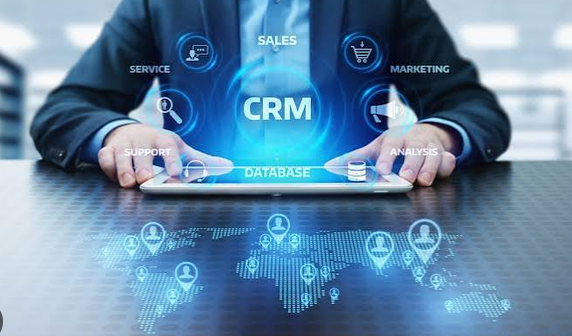
Customer Relationship Management (CRM) software helps small businesses organize customer information, manage sales activities, automate repetitive tasks, and build stronger relationships with their customers. Instead of storing customer details across spreadsheets, emails, notebooks, and messaging applications, businesses can manage their interactions through one centralized platform.
CRM software is no longer useful only for large companies with dedicated sales departments. Many modern CRM solutions are designed specifically for small businesses, offering affordable plans, simple interfaces, and essential tools for managing leads and customers.
In this guide, we will explore how small businesses can use CRM software to improve sales performance, strengthen customer relationships, increase customer retention, and support long-term business growth.
What Is CRM Software?
Customer Relationship Management software is a digital system that helps businesses manage interactions with existing customers and potential buyers. It stores important customer information and provides tools for tracking communication, organizing sales opportunities, managing follow-ups, and analyzing business performance.
A typical CRM system may include customer contact management, lead tracking, sales pipeline management, email integration, task reminders, reporting dashboards, and marketing automation.
For example, imagine a small web development agency that receives inquiries from customers through its website, Facebook page, email, and telephone. Without a CRM system, the owner might need to check several platforms to remember who requested a quotation or which customer needs a follow-up.
With CRM software, all these contacts can be recorded in one place. The agency can track each inquiry, assign tasks, schedule meetings, send proposals, and monitor which opportunities are most likely to become paying customers.
The primary purpose of CRM software is to help businesses manage customer relationships more effectively while making sales processes more organized and efficient.
Why Small Businesses Need CRM Software
Small businesses often operate with limited budgets, small teams, and fewer resources than large organizations. Employees may perform several different roles, making it difficult to maintain consistent communication with every customer.
CRM software helps solve these challenges by providing a structured way to manage customer information and daily business activities.
1. Centralized Customer Information
One of the biggest challenges for small businesses is keeping customer information organized. Contact details, purchase histories, conversations, quotations, and customer preferences may be scattered across different platforms.
CRM software creates a centralized customer database where authorized team members can access relevant information.
This allows employees to quickly understand a customer’s history before answering questions or making recommendations. It also reduces the risk of losing important information when an employee leaves the business or changes responsibilities.
2. Better Organization of Sales Activities
Sales opportunities often require several steps before a customer makes a purchase. A business may need to contact a lead, arrange a meeting, prepare a quotation, negotiate pricing, and follow up.
Without a clear process, these activities can become difficult to manage.
CRM software allows businesses to create sales pipelines, assign tasks, set deadlines, and monitor the progress of every opportunity. This makes it easier to identify which deals require immediate attention.
3. Improved Customer Communication
Customers expect businesses to respond promptly and provide accurate information. CRM software helps employees maintain consistent communication by recording conversations, setting reminders, and tracking unresolved customer requests.
When customers contact a business again, employees can review previous interactions instead of asking them to explain everything from the beginning.
This creates a more professional and convenient customer experience.
How CRM Software Helps Small Businesses Increase Sales
Sales growth is one of the most important reasons small businesses adopt CRM software. By organizing leads, improving follow-ups, and providing better visibility into sales opportunities, CRM tools help businesses make better use of their available resources.
1. Capture and Organize More Leads
A lead is a person or organization that has shown interest in a business’s products or services. Leads may come from website forms, social media campaigns, advertisements, referrals, telephone calls, or networking events.
If these inquiries are not recorded properly, businesses may lose opportunities before contacting potential customers.
CRM software can collect leads through integrated forms, email connections, and other supported integrations. Employees can also enter leads manually when they receive inquiries through telephone calls or in-person meetings.
Each lead can be assigned a status, such as new, contacted, qualified, proposal sent, or converted.
For example, a small insurance agency can use CRM software to organize inquiries from customers looking for health, life, or vehicle insurance. Agents can record customer requirements and follow up with suitable policy information.
A well-organized lead management process helps ensure that fewer opportunities are overlooked.
2. Build an Effective Sales Pipeline
A sales pipeline shows the different stages a potential customer passes through before purchasing a product or service.
A simple sales pipeline might include these stages:
- New lead received
- Initial contact completed
- Customer needs identified
- Product demonstration or consultation scheduled
- Proposal or quotation sent
- Negotiation in progress
- Deal won or lost
CRM software allows small businesses to monitor every opportunity and identify the next action required.
For example, a small software company may have 30 potential customers in its sales pipeline. Some may be waiting for quotations, while others may require product demonstrations or contract discussions.
A CRM dashboard makes it easier to identify opportunities that need attention and understand how many leads are progressing toward a sale.
It also helps business owners identify bottlenecks. If many opportunities remain stuck after quotations are sent, the company may need to improve its pricing, proposal quality, or follow-up process.
3. Automate Sales Follow-Ups
Following up with potential customers is essential because many buyers do not make immediate purchasing decisions. They may need additional information, time to compare alternatives, or approval from another decision-maker.
However, employees can forget to follow up when they are managing multiple opportunities.
CRM software can create reminders and automate certain follow-up activities. Depending on the system, businesses may schedule emails, assign tasks, and trigger notifications when a lead remains inactive for a specified period.
For example, a small furniture retailer can create a reminder to contact a customer two days after sending a quotation. If the customer has not responded, the salesperson can ask whether additional information is needed.
Automated follow-ups help maintain consistency without requiring employees to remember every task manually.
Businesses should avoid sending excessive or irrelevant messages. Follow-ups should be helpful, appropriately timed, and respectful of customer preferences.
4. Improve Lead Qualification
Not every lead is equally likely to become a paying customer. Some people are researching prices, while others are ready to purchase.
CRM software helps businesses evaluate leads using information such as budget, needs, purchasing timeline, location, and previous interactions.
For example, a digital marketing agency might prioritize businesses that have an immediate need for advertising services and an appropriate budget. Leads that are still researching options can receive educational content and be contacted later.
Some CRM systems support lead scoring, which assigns scores based on selected characteristics or activities. More advanced systems may use artificial intelligence to estimate lead quality.
Lead qualification helps small businesses focus their time on promising opportunities while continuing to nurture other potential customers.
5. Identify Opportunities for Upselling and Cross-Selling
CRM software can help businesses identify existing customers who may benefit from additional products or upgraded services.
Upselling involves encouraging a customer to purchase a higher-value version of a product or service. Cross-selling involves recommending a related product or service that complements an existing purchase.
For example, a web hosting company might recommend a higher hosting plan to a customer whose website traffic has increased. A computer retailer might suggest compatible accessories to a customer purchasing a laptop.
By reviewing purchase histories, customer requirements, and previous conversations, sales teams can make relevant recommendations rather than sending generic offers to everyone.
The objective should be to provide genuine value, not to pressure customers into buying unnecessary products.
How CRM Software Strengthens Customer Relationships
Increasing sales is important, but long-term success also depends on maintaining positive customer relationships. Existing customers may return for additional purchases, recommend a business to others, and provide valuable feedback.
CRM software helps businesses understand their customers and provide more consistent service.
1. Create Personalized Customer Experiences
Customers appreciate businesses that understand their needs and remember their preferences. CRM software stores information that can help employees personalize communication and service.
Depending on the information collected, a business may record customer preferences, previous purchases, preferred contact methods, service requirements, and relevant interaction history.
For example, a small clothing store with a customer database may identify customers who regularly purchase formal clothing. When a relevant new collection arrives, the store can share information with customers who have agreed to receive promotional messages.
Similarly, a consulting company can review a client’s previous projects before recommending additional services.
Personalization makes communication more relevant and can help customers feel that the business understands their requirements.
Businesses should collect only appropriate information, protect customer data, and follow applicable privacy requirements.
2. Provide Faster Customer Support
Slow responses can damage customer relationships. When customers must wait too long for answers, they may become frustrated or look for another provider.
CRM systems can help customer support teams organize requests, assign responsibility, and monitor unresolved issues.
Some platforms include ticket management, shared inboxes, service histories, and response-time reporting. Others integrate with separate customer support applications.
For example, a small electronics retailer may receive complaints about delivery delays, product defects, and warranty claims. A CRM-connected support process allows employees to record each issue, assign it to the appropriate person, and track progress until it is resolved.
The system can also preserve communication history so that customers do not need to repeat the same details to different employees.
Faster, more organized support improves the customer experience and reduces the chance that requests will be forgotten.
3. Maintain Consistent Communication
Customers may interact with a business through email, telephone calls, website forms, messaging applications, and social media. Managing these conversations separately can create confusion.
CRM software can bring some of these interactions together through integrations and shared communication records.
Employees can review earlier conversations, understand what has already been promised, and provide consistent information.
For instance, if a customer asks about a product through email and later calls the business, the salesperson may be able to review the original inquiry before answering.
Not every CRM supports every communication channel natively, so businesses should check integration options before choosing a platform.
4. Strengthen Customer Retention
Customer retention refers to a business’s ability to keep customers over time. Retaining existing customers can be valuable because the business may already understand their needs and have established trust.
CRM software helps businesses monitor customer activity, identify inactive accounts, and schedule appropriate check-ins.
For example, a small accounting firm can use reminders to contact clients before important reporting periods. A maintenance company can schedule service reminders based on previous appointments.
Businesses can also use CRM records to identify customers who have not purchased recently and determine whether a helpful follow-up is appropriate.
Customer retention improves when businesses consistently deliver value, respond to concerns, and make it easy for customers to continue using their products or services.
5. Collect and Use Customer Feedback
Customer feedback helps businesses understand what they are doing well and where improvements are needed.
CRM software can record survey responses, customer complaints, satisfaction ratings, and suggestions. Businesses can then identify recurring issues and assign follow-up tasks.
For example, if several customers report that the checkout process is confusing, a retailer can investigate the problem and improve the purchasing experience.
If customers frequently praise a particular service, the business can use that feedback to understand which practices should be maintained.
Collecting feedback is only the first step. Businesses should review the results, take appropriate action, and communicate relevant improvements to customers when possible.
Using CRM Automation to Save Time
Small business owners often spend substantial time on administrative work. Tasks such as entering customer information, sending routine emails, scheduling meetings, and preparing reports can reduce the time available for sales and customer service.
CRM automation can reduce this workload.
Automated Task Reminders
CRM software can remind employees about upcoming meetings, pending quotations, overdue follow-ups, contract renewals, and unresolved customer requests.
These reminders help teams maintain an organized workflow and reduce dependence on memory.
Automated Email Communication
Many CRM platforms allow businesses to create email templates and automated sequences.
For example, a customer who submits a website inquiry may receive an acknowledgment email. A salesperson can then follow up personally after reviewing the customer’s requirements.
Automated messages should remain relevant and should not replace personal communication when a customer needs individual assistance.
Automated Lead Assignment
When a business has multiple sales representatives, CRM software may automatically assign new leads according to predefined rules.
Leads can be distributed based on location, product interest, team availability, or another suitable criterion.
This reduces delays and clarifies who is responsible for contacting each prospect.
Automated Reporting
Some CRM platforms generate regular reports showing new leads, sales activity, conversion rates, revenue, and other performance indicators.
Automated reporting helps business owners review performance without manually collecting information from multiple spreadsheets.
Automation is most useful when it simplifies a clear process. Automating an inefficient workflow without improving it first may create additional confusion.
How Small Businesses Can Use CRM Data to Make Better Decisions
CRM systems do more than store contact details. Their reporting and analytics features can help business owners understand customer behavior and evaluate sales performance.
Track Sales Conversion Rates
A conversion rate measures the percentage of leads that complete a desired action, such as making a purchase.
Suppose a small business receives 100 qualified leads and 15 become customers. Its lead-to-customer conversion rate is 15%.
Tracking this metric over time helps the business determine whether its sales process is improving.
If conversion rates decline, the company can investigate response times, lead quality, pricing, product suitability, and sales communication.
Measure Customer Acquisition Costs
Customer acquisition cost, or CAC, estimates how much a business spends to acquire a new customer.
A business can calculate a basic acquisition cost by dividing relevant sales and marketing expenses by the number of new customers acquired during the same period.
For example, if a business spends $2,000 on sales and marketing and acquires 40 customers, its basic acquisition cost is $50 per customer.
CRM reports may help connect marketing campaigns and leads with resulting sales, although accurate calculations require complete expense and customer data.
Monitor Customer Retention
Customer retention metrics show how effectively a business maintains its existing customer base.
Businesses can monitor repeat purchases, customer churn, renewal rates, and inactive accounts, depending on their business model.
A subscription company might focus on renewals and cancellations, while a retail business might examine repeat purchases and the time between orders.
These insights help companies identify opportunities to improve customer satisfaction and encourage repeat business.
Evaluate Sales Team Performance
CRM dashboards can track the number of leads contacted, meetings completed, proposals sent, deals won, and revenue generated.
These metrics help managers understand how sales activities contribute to business outcomes.
However, performance should not be judged by activity counts alone. A salesperson who sends many messages may not necessarily generate more profitable sales or provide better customer service.
Combining activity data with conversion rates, customer feedback, and revenue provides a more balanced picture.
How Different Small Businesses Can Benefit from CRM Software
CRM software can support many industries, although the most useful features vary according to business needs.
Retail Businesses
Small retailers can use CRM systems to organize customer profiles, monitor purchase histories, manage inquiries, and run relevant promotions.
When integrated with a point-of-sale or e-commerce platform, a CRM may provide a more complete view of customer purchases and interactions.
Retailers can use this information to improve service, identify repeat customers, and make product recommendations.
Service-Based Businesses
Plumbers, electricians, consultants, cleaning companies, and repair services can use CRM software to manage inquiries, schedule appointments, prepare quotations, and follow up after completing a job.
For example, a plumbing company can record the customer’s address, service history, job details, and recommended maintenance schedule.
This helps employees provide more organized service and identify opportunities for repeat work.
Real Estate Agencies
Real estate agents can use CRM tools to organize property inquiries, track buyer preferences, manage seller relationships, and schedule viewings.
Agents can record factors such as preferred location, property type, and budget to identify suitable listings.
They can also schedule follow-ups for customers who are not ready to purchase immediately.
Insurance Agencies
Insurance agents can use specialized CRM systems to organize client information, manage prospects, track policy-related conversations, and schedule renewal reminders.
Depending on the platform, insurance-focused tools may also support workflows related to quotations, claims communication, and policy servicing.
Agents must ensure that sensitive client information is stored securely and that the software supports relevant regulatory and business requirements.
Digital Marketing and IT Companies
Digital marketing agencies, software developers, and IT service providers can use CRM software to manage prospects, proposals, project-related communication, and client relationships.
A CRM can help these businesses maintain visibility into potential contracts and identify existing clients who may need additional services.
Project management may require a separate application or an integration, depending on the CRM’s capabilities.
How to Choose the Right CRM Software for a Small Business
Choosing the right CRM is important because the system should solve existing business problems without introducing unnecessary complexity.
1. Identify Your Business Requirements
Start by identifying the main challenges your business faces.
Do you frequently lose leads? Are employees forgetting follow-ups? Is customer information scattered across several tools? Do you need better sales reporting or customer support?
Create a list of essential requirements before comparing software.
A business that primarily needs contact management may not require the same features as a company with multiple sales representatives and complex sales pipelines.
2. Consider Your Budget
CRM pricing varies according to features, users, storage, automation, integrations, and support.
Some providers offer free plans with limited functionality, while paid plans may charge per user each month.
Review the total cost rather than looking only at the advertised starting price. Consider implementation, training, integrations, data migration, and potential upgrades.
A small business should choose a solution that provides useful functionality without creating unnecessary financial pressure.
3. Look for Ease of Use
A CRM system is valuable only when employees use it consistently.
Choose software with a clear interface, simple navigation, and workflows that match your daily operations.
Before purchasing a subscription, use a free trial or demonstration if available. Test common tasks such as adding a lead, recording a call, creating a reminder, and moving an opportunity through the sales pipeline.
4. Check Integration Options
Your CRM may need to work with email, calendars, website forms, accounting software, e-commerce systems, or customer support tools.
Check whether the required integrations are included in your chosen plan or require additional subscriptions.
Reliable integration can reduce duplicate data entry and make customer information easier to manage.
5. Evaluate Security and Data Protection
CRM systems may contain customer contact information, purchase histories, business conversations, and other confidential records.
Review available access controls, authentication options, backup policies, data export capabilities, and security documentation.
Businesses should also evaluate the provider’s privacy practices and determine whether the system meets applicable legal and industry requirements.
6. Consider Future Growth
A CRM should meet your current needs while allowing reasonable expansion.
Consider whether you can add users, create additional sales pipelines, increase automation, and integrate new tools as the business grows.
However, avoid paying for advanced features that your business is unlikely to use.
Best Practices for Implementing CRM Software
Purchasing CRM software does not automatically improve sales. Businesses must establish clear processes and encourage employees to use the system correctly.
Start With a Simple Setup
Begin with essential features such as contact management, lead tracking, sales stages, and follow-up reminders.
Avoid introducing every available feature at once. A simple setup makes adoption easier and allows the business to identify which additional capabilities would be useful.
Keep Customer Data Accurate
Employees should enter information consistently and update customer records when details change.
Duplicate contacts, outdated telephone numbers, missing notes, and inconsistent sales stages can reduce the usefulness of CRM reports.
Establish basic data-entry rules and review records regularly.
Train Employees Properly
Provide practical training that explains how the CRM supports daily responsibilities.
Employees should understand how to add leads, record customer conversations, schedule follow-ups, update sales opportunities, and protect customer information.
Training should focus on real business situations rather than software features alone.
Establish Clear Responsibilities
Assign responsibility for maintaining customer records, responding to leads, and monitoring unresolved issues.
For example, a new inquiry may need to be contacted within a defined business timeframe. The CRM can help track whether the assigned employee completed the task.
Clear ownership reduces confusion and improves accountability.
Review Results Regularly
Monitor a small set of meaningful metrics, such as response time, conversion rate, repeat purchases, and unresolved customer requests.
Review these results monthly or at another suitable interval. Use the findings to improve sales processes and customer service.
The purpose of CRM reporting is not simply to produce numbers. It is to help the business make better decisions.
Common CRM Mistakes Small Businesses Should Avoid
Several mistakes can prevent small businesses from receiving the full benefits of CRM software.
Choosing software with too many unnecessary features: Complex systems can waste money and make daily work more difficult. Select tools that match your requirements.
Failing to update customer records: Outdated information makes follow-ups and reporting less reliable. Make data maintenance part of normal business operations.
Treating CRM as only a contact database: CRM software can support sales pipelines, customer service, automation, reporting, and retention. Use the features that address your actual needs.
Automating every interaction: Excessive automated communication can make customers feel ignored or overwhelmed. Use automation for routine tasks while preserving personal attention where it matters.
Ignoring employee feedback: Employees who use the CRM every day may identify workflow problems that managers overlook. Review their feedback and adjust the system when appropriate.
Failing to measure results: Without clear objectives, it becomes difficult to determine whether the CRM is delivering value. Establish measurable goals before implementation.
Avoiding these mistakes helps businesses build a CRM process that supports practical improvements rather than creating additional administrative work.
Conclusion
CRM software can help small businesses improve sales, strengthen customer relationships, and operate more efficiently. By centralizing customer information, organizing leads, managing sales pipelines, automating follow-ups, and improving customer support, businesses can reduce missed opportunities and provide more consistent service.
CRM tools also help business owners understand sales performance, identify customer needs, measure retention, and make better decisions using organized information.
However, successful CRM implementation depends on more than choosing the right software. Businesses must maintain accurate records, train employees, establish clear responsibilities, protect customer information, and regularly evaluate their results.
Small businesses do not need to begin with an expensive or complicated platform. Starting with essential features and expanding gradually is often a practical approach.
Ultimately, the best CRM software is the one that fits your business needs, works within your budget, and helps your team build lasting customer relationships. When used consistently, it can become an important tool for improving sales performance, increasing customer satisfaction, and supporting sustainable business growth.