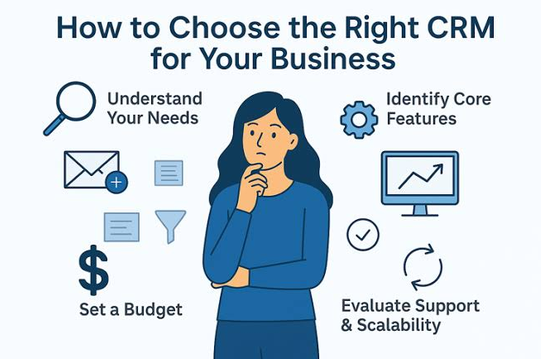
Managing customer relationships is one of the most important responsibilities of running a small business. Whether you operate an online store, a marketing agency, a consulting firm, a real estate company, or a local service business, maintaining strong relationships with customers can directly influence your sales, reputation, and long-term growth. However, as a business grows, keeping track of customer information, sales opportunities, follow-up reminders, and communication history becomes increasingly difficult.
This is where Customer Relationship Management (CRM) software becomes valuable. A CRM system helps businesses organize customer information, manage leads, track sales activities, automate repetitive tasks, and improve communication across teams. Instead of relying on spreadsheets, notebooks, or scattered email conversations, businesses can manage customer relationships from a centralized platform.
However, choosing the right CRM software can be challenging because hundreds of solutions are available, each offering different features, pricing plans, integrations, and customization options. Some platforms are designed for beginners, while others provide advanced automation, reporting, and sales management capabilities.
The best CRM software for a small business is not necessarily the most expensive or feature-rich option. It is the solution that matches your business needs, budget, team size, and future goals.
In this guide, you will learn how to evaluate CRM software, identify essential features, compare pricing, avoid common mistakes, and select a system that supports your business growth.
What Is CRM Software?
Customer Relationship Management software is a digital platform that helps businesses manage interactions with existing customers and potential buyers. It stores important customer information and provides tools for tracking communication, sales opportunities, marketing activities, and customer service requests.
A typical CRM system may include customer profiles, contact details, email history, sales pipelines, task reminders, reporting dashboards, and automation features.
For example, imagine that you operate a small digital marketing agency. Your team receives inquiries through a website, social media, and email. Without a CRM, employees might store customer information in different spreadsheets, making it difficult to remember who needs a follow-up.
With CRM software, every lead can be recorded in one system. Your team can see when the customer contacted you, which services they requested, whether a proposal was sent, and what action should happen next.
This organized approach helps reduce missed opportunities and makes customer management more efficient.
Why Do Small Businesses Need CRM Software?
Small businesses often have limited employees, budgets, and time. A CRM system can help them manage these resources more effectively.
1. Centralized Customer Information
One of the biggest benefits of CRM software is the ability to store customer information in a single location. Instead of searching through emails, documents, and spreadsheets, employees can access relevant information from a customer profile.
Depending on the system, this information may include contact details, previous purchases, communication history, customer preferences, support requests, and sales activity.
Centralized records help employees understand customer needs and provide more consistent service.
2. Better Lead Management
Generating leads is only the first step toward increasing sales. Businesses must also qualify those leads, communicate with potential buyers, schedule meetings, and follow up at the right time.
CRM software allows businesses to track leads throughout the sales process. Employees can identify new inquiries, prioritize promising prospects, and monitor which opportunities are most likely to become customers.
3. Improved Productivity
Manual administrative work can consume a significant amount of time. CRM software can simplify tasks such as creating reminders, assigning leads, updating sales records, and sending routine communications.
Automation does not eliminate the need for personal communication. Instead, it reduces repetitive work so employees can focus on meaningful customer interactions.
4. Stronger Customer Relationships
Customers expect businesses to understand their requirements and respond promptly. A CRM system helps employees review previous conversations and recognize individual customer needs.
When employees have access to accurate information, they can provide more relevant recommendations, resolve problems efficiently, and maintain better communication.
5. More Informed Business Decisions
CRM dashboards and reports help business owners understand sales performance, lead conversion, customer retention, and team productivity.
These insights can reveal which marketing channels generate valuable leads, where sales opportunities are being lost, and which products or services attract the most interest.
Step 1: Identify Your Business Needs
Before comparing CRM platforms, determine what you want the software to accomplish. Buying a system without defining your requirements can result in unnecessary expenses and complicated workflows.
Start by identifying the biggest problems your business currently faces.
For example, you might struggle with missed follow-ups, disorganized customer records, limited visibility into sales opportunities, slow responses to customer inquiries, or difficulty measuring employee performance.
Once you identify these problems, translate them into specific software requirements.
Create a List of Essential Requirements
Your requirements should reflect your actual business operations rather than every feature available in the market.
Consider the following questions:
- Do you need to manage sales leads and opportunities?
- Do you want to store customer contact information centrally?
- Does your team need email integration?
- Do you require automated reminders and follow-up tasks?
- Do you need marketing campaign management?
- Will multiple employees access the same customer records?
- Do you need customer service ticket management?
- Do you require mobile access while working outside the office?
- Do you need reports on sales performance and revenue?
Separate your requirements into essential features, useful additional features, and features you may need in the future.
This approach helps you compare CRM solutions more objectively and avoid paying for unnecessary capabilities.
Step 2: Choose the Right Type of CRM
CRM software comes in several categories. Although many platforms combine multiple functions, understanding the main types can help you select a suitable solution.
Sales CRM
A sales CRM focuses on managing leads, opportunities, sales pipelines, meetings, proposals, and follow-up activities.
It is suitable for businesses that depend on sales representatives, consultations, quotations, or ongoing negotiations.
For example, a software company can use a sales CRM to track potential customers from their first inquiry to the final purchase.
Marketing CRM
A marketing-focused CRM helps businesses organize marketing contacts, segment audiences, manage campaigns, and automate selected communications.
It may be useful for online businesses, agencies, and companies that depend on email marketing or lead-generation campaigns.
Before selecting this type of platform, check whether the required marketing features are included in the advertised plan or sold separately.
Customer Service CRM
A customer service CRM focuses on managing customer questions, complaints, support tickets, and service interactions.
It can help businesses assign requests to employees, track resolution times, and maintain records of previous issues.
This type of CRM is particularly useful for companies that provide ongoing technical support, subscriptions, maintenance, or after-sales assistance.
All-in-One CRM
An all-in-one CRM combines sales management, marketing tools, customer service, reporting, and workflow automation.
It can be convenient for small businesses that want to manage several customer-related activities through one platform.
However, an all-in-one system may be more complex or expensive than a specialized solution. Evaluate whether you will actually use its different modules before choosing it.
Step 3: Evaluate Essential CRM Features
Once you understand your requirements, compare the features offered by different CRM platforms.
Contact and Customer Management
Contact management is a fundamental CRM feature. It allows you to store names, phone numbers, email addresses, company information, customer notes, and interaction history.
Look for a system that makes it easy to search, update, categorize, and organize records.
The software should also help prevent duplicate contacts and allow employees to view relevant customer information without navigating through multiple screens.
Lead and Sales Pipeline Management
A sales pipeline provides a visual overview of potential deals at different stages.
A typical pipeline might include the following stages:
- New lead
- Initial contact
- Qualified prospect
- Proposal sent
- Negotiation
- Closed deal
The exact stages depend on your business model.
Choose software that allows you to customize these stages and move opportunities through the sales process easily. It should also support deal values, expected closing dates, assigned employees, and follow-up tasks where appropriate.
Task Management and Reminders
A CRM should make it easy to schedule calls, meetings, demonstrations, and follow-up activities.
Automatic reminders help employees remember important tasks and reduce the likelihood of losing potential customers because of delayed communication.
If your business depends heavily on follow-ups, prioritize a CRM with clear task lists, calendar integration, and customizable notifications.
Email and Communication Integration
Email integration allows employees to manage customer conversations alongside CRM records.
Depending on the platform, you may be able to synchronize emails, schedule messages, record communication history, and use email templates.
Some systems also support calendar synchronization, telephone integration, messaging channels, or meeting applications.
Verify which integrations are included in your chosen subscription and whether additional charges apply.
Reporting and Analytics
Reporting tools help you understand how your business is performing.
Useful reports may include lead conversion rates, sales by employee, pipeline value, average deal size, customer acquisition sources, and revenue trends.
Choose a CRM that presents information through understandable dashboards and allows you to customize reports according to your business objectives.
Advanced analytics are not always necessary for a small business. Start with the reports you will use regularly and expand as your requirements become more sophisticated.
Workflow Automation
Automation allows a CRM to perform specific actions when predefined conditions are met.
For example, when a new lead enters the system, the CRM might assign it to an employee, create a follow-up task, and send an internal notification.
Automation can improve consistency and reduce manual work. However, overly complicated workflows may be difficult to maintain.
Start with simple automations that solve clear problems before introducing more advanced processes.
Mobile Access
If you or your employees frequently travel, visit customers, or work remotely, mobile access can be important.
A mobile CRM application should allow users to review contact details, update deal information, add notes, and manage tasks.
Check whether the mobile application supports the features your team needs and whether important functions work when connectivity is limited.
Step 4: Compare CRM Pricing and Your Total Budget
Price is one of the most important considerations for small businesses. However, comparing only the advertised monthly subscription can produce misleading results.
CRM providers may offer free plans, entry-level subscriptions, professional plans, and enterprise packages.
Free CRM Software
Free CRM plans can be a practical starting point for freelancers, startups, and small teams.
Depending on the provider, a free plan may include contact management, basic sales pipelines, limited reporting, and a small number of users.
However, free plans may restrict automation, integrations, storage, customization, or the number of records you can manage.
Review these limitations carefully before building your business processes around a free platform.
Paid CRM Software
Paid CRM plans typically offer additional features, higher usage limits, advanced reporting, automation, and greater customization.
Some providers charge per user, while others offer different pricing structures based on contacts, usage, or selected features.
A low-priced plan may become expensive as your team grows, particularly if essential tools require a higher subscription tier.
Calculate the Total Cost of Ownership
Your CRM budget should account for more than the subscription fee.
Potential expenses include:
- Monthly or annual subscriptions
- Additional user licenses
- Premium integrations
- Marketing or automation add-ons
- Data migration services
- Employee training
- Technical support
- Custom development
- Future upgrades
For example, suppose a CRM costs $20 per user per month and your business has five users. The base subscription would be $100 per month, or $1,200 per year, before taxes, add-ons, and implementation costs.
This simple calculation helps you compare different platforms based on the actual cost of operating them.
Also consider whether annual billing provides a discount and whether the provider offers a trial or money-back policy.
Step 5: Choose Software That Is Easy to Use
A CRM system is valuable only when employees use it consistently. Even a feature-rich platform may fail if its interface is confusing or its workflows require too many steps.
Look for a clean dashboard, straightforward navigation, simple contact entry, customizable views, and understandable reports.
During a trial, ask employees to complete everyday tasks such as adding a new contact, updating a deal, scheduling a follow-up, and finding a customer’s previous conversation.
Observe how much training they need and whether they can perform these tasks independently.
You should also consider the amount of information employees must enter manually. If updating customer records becomes a burden, team members may avoid using the system.
An easy-to-use CRM with the right essential features is often a better choice than a complicated platform with many unused functions.
Step 6: Check Integration With Existing Business Tools
Most small businesses already use several digital tools. Your CRM should work well with the applications that support your daily operations.
Common integrations include email platforms, calendars, accounting software, e-commerce systems, website forms, customer support applications, marketing platforms, and project management tools.
For example, connecting a website contact form to your CRM can automatically transfer new inquiries into the sales pipeline.
Connecting an e-commerce platform may help synchronize customer and order information, depending on the available integration.
Before purchasing a CRM, make a list of your existing applications and check whether each required integration is available.
Also determine whether integrations are native, provided through third-party automation services, or require custom development.
Native integrations are often simpler to maintain, while third-party connections may introduce additional costs or configuration requirements.
Step 7: Review Data Security and Privacy
CRM software stores information that may be important to your business and customers. This can include names, email addresses, phone numbers, purchase records, communication history, and business correspondence.
Security should therefore be an important part of your selection process.
Essential Security Features
Look for appropriate security measures such as encrypted data transmission, access permissions, multi-factor authentication, activity logs, and secure account recovery.
Depending on the provider, additional features may include single sign-on, data export controls, backup policies, and advanced administrative settings.
Not every small business needs enterprise-level security controls, but every business should understand how its customer information is protected.
User Permissions
Employees should have access to the information they need to perform their jobs, without automatically receiving unrestricted access to every record.
A CRM with role-based permissions can help control who can view, edit, export, or delete information.
Data Privacy and Compliance
Review the provider’s privacy policy, data retention practices, and procedures for deleting or exporting customer information.
If your business serves customers in regions with specific privacy requirements, confirm whether the CRM supports your applicable legal obligations.
Do not assume that purchasing a CRM automatically makes your business compliant with every relevant privacy law.
Step 8: Evaluate Customization and Scalability
Your business requirements may change as your company grows. The CRM you select today should be capable of supporting reasonable future expansion.
Customization options may include additional customer fields, custom sales stages, tailored dashboards, automated workflows, and department-specific views.
For example, a small consulting firm might initially track only contact details and project opportunities. Later, it may want to record service categories, proposal values, contract renewal dates, and customer satisfaction information.
A flexible CRM can accommodate these changes without forcing the business to replace its entire system.
Scalability also involves pricing, user limits, data capacity, automation allowances, and integration options.
However, avoid purchasing an expensive enterprise solution simply because your business might become larger in the future. Choose a platform that meets current requirements and offers a practical upgrade path.
Step 9: Test CRM Software Before Buying
Reading product descriptions is useful, but testing the software provides a clearer understanding of how it works in practice.
Many CRM providers offer free trials, demonstrations, or free subscription tiers.
Use this opportunity to evaluate a few shortlisted platforms rather than testing every available product.
Create a Practical Testing Checklist
During the trial, perform tasks that reflect your real business operations.
For example:
- Add and update customer contacts.
- Import a sample spreadsheet.
- Create a sales pipeline.
- Assign leads to employees.
- Schedule follow-up reminders.
- Connect your business email.
- Create a basic report.
- Set up a simple automation.
- Test the mobile application.
- Export customer records.
Ask employees who will use the CRM daily to participate in the evaluation.
Pay attention to speed, ease of navigation, reliability, and the quality of the available help documentation.
A CRM may look impressive during a sales demonstration but feel inconvenient during everyday work. Practical testing helps you identify these problems before committing to a subscription.
Step 10: Compare Popular CRM Software Options
Several established CRM platforms serve small businesses. Their suitability depends on your requirements, pricing preferences, technical skills, and desired features.
HubSpot CRM
HubSpot CRM is known for its accessible interface and tools for managing contacts, sales activities, and customer interactions.
It can be a useful option for businesses that want to begin with basic CRM functions and potentially expand into marketing, sales, and customer service tools.
However, advanced capabilities may require paid subscriptions, and costs can increase as your requirements expand.
Zoho CRM
Zoho CRM provides contact management, sales pipeline tools, reporting, automation, and customization options.
It may suit small businesses looking for a flexible platform with different subscription levels.
Before choosing it, review the features included in each plan and consider how easily your team can configure and maintain the system.
Salesforce
Salesforce offers extensive customization, automation, reporting, and ecosystem integrations.
It may be appropriate for growing businesses with complex sales processes or specialized requirements.
However, some small businesses may find its configuration and administration requirements more demanding than those of simpler platforms.
Pipedrive
Pipedrive focuses strongly on sales pipeline management and helping sales teams track deals and activities.
It may be suitable for businesses that want a visual sales process and straightforward opportunity tracking.
Evaluate its reporting, integrations, automation, and plan limitations against your specific needs.
Freshsales
Freshsales offers sales-oriented CRM capabilities, including contact management, deal tracking, and selected automation features.
It may be worth considering for businesses seeking a combination of customer records and sales productivity tools.
Review the available plans, integration options, and features included at your expected budget.
Important: Features, subscription prices, free-plan availability, and usage limits can change. Check each provider’s current offering before making a purchasing decision. These products are examples to evaluate, not a universal ranking of the best CRM platforms.
Step 11: Understand Data Migration and Implementation
Selecting the software is only one part of the process. You must also transfer existing customer information and prepare your team to use the new system.
If your records currently exist in spreadsheets or another CRM, review their structure before importing them.
Remove duplicate entries, correct inaccurate contact details, standardize field names, and identify information that should not be transferred.
Then test the import process using a small sample before moving all your records.
Create a Simple Implementation Plan
A practical implementation process can follow these steps:
- Assign one person to manage the CRM setup.
- Define the customer information your business needs.
- Clean existing customer records.
- Configure contact fields and sales stages.
- Import and verify a sample of records.
- Connect essential business applications.
- Train employees on daily tasks.
- Launch the system with a manageable workflow.
- Review usage and resolve problems.
- Improve the setup based on employee feedback.
Avoid implementing every possible feature on the first day. Begin with essential functions and add more advanced capabilities after your team becomes comfortable with the system.
Step 12: Avoid Common CRM Selection Mistakes
Small businesses can waste money and time by choosing software without carefully evaluating their needs.
Choosing Based on Price Alone
A free or inexpensive CRM may look attractive, but it might lack essential features or impose restrictions that become problematic later.
Compare overall value, not just the subscription price.
Buying Too Many Features
Advanced automation, artificial intelligence, and extensive reporting may sound appealing, but unnecessary functionality can increase costs and complexity.
Prioritize features that solve real business problems.
Ignoring Employee Feedback
Employees are more likely to adopt software that fits their everyday workflow. Involve the people who will use the CRM before making the final decision.
Overlooking Integration Costs
Some integrations may require premium subscriptions or external automation tools. Check these costs before selecting a platform.
Failing to Plan for Data Ownership
Understand how to export your customer records if you decide to change providers. Review export formats, account termination policies, and any restrictions on retrieving historical information.
Neglecting Training
Without proper training, employees may enter incomplete information, ignore reminders, or continue using disconnected spreadsheets.
Provide clear instructions and establish simple rules for keeping CRM records accurate.
Step 13: Measure CRM Performance After Implementation
After introducing the CRM, evaluate whether it is delivering meaningful benefits.
Choose a small set of measurable indicators that reflect your original goals.
Lead Conversion Rate
Measure the percentage of qualified leads that become customers. This can help you understand whether your sales process is becoming more effective.
Response Time
Track how quickly your team responds to new inquiries. Faster responses may improve the customer experience, depending on your industry and customer expectations.
Sales Cycle Length
Monitor how long it takes to move opportunities from initial contact to a completed sale.
Follow-Up Completion
Review whether employees are completing scheduled calls, meetings, and other important activities.
Customer Retention
For businesses with repeat customers or subscriptions, monitor renewals, repeat purchases, and customer retention trends.
CRM Adoption Rate
Check whether employees are using the platform consistently and maintaining accurate records.
Establish a baseline before implementation so you can compare results afterward. Review these indicators monthly or quarterly and adjust workflows when the data reveals problems.
A Practical CRM Selection Checklist for Small Businesses
Use the following checklist before making your final decision.
| Selection factor | What to evaluate |
|---|---|
| Business requirements | Does the CRM solve your main customer management problems? |
| Essential features | Does it include contact management, tasks, and pipeline tracking? |
| Pricing | Can you afford the subscription and additional expenses? |
| Ease of use | Can employees learn it without extensive training? |
| Integrations | Does it connect with your existing business tools? |
| Security | Are customer information and account permissions adequately protected? |
| Customization | Can you adapt fields, pipelines, and reports to your workflow? |
| Scalability | Can the system accommodate additional users and future requirements? |
| Support | Are useful support channels and learning resources available? |
| Data portability | Can you export your records if you change providers? |
| Trial experience | Does the software perform well during realistic testing? |
A CRM that satisfies your essential requirements and fits your budget is generally a stronger choice than one that scores highly on advanced features you will rarely use.
How to Choose CRM Software Based on Business Type
Different businesses may need different CRM capabilities.
Freelancers and Consultants
Freelancers often need simple contact management, meeting reminders, proposal tracking, and communication history.
A lightweight CRM with a straightforward interface may be sufficient.
Online Stores
E-commerce businesses may benefit from customer purchase histories, order-related integrations, audience segmentation, and customer support management.
Check whether the CRM can connect to your store platform and whether customer information synchronizes correctly.
Real Estate Businesses
Real estate professionals often manage property inquiries, buyer preferences, viewing appointments, negotiations, and long sales cycles.
A CRM with customizable pipelines, lead assignment, reminders, and property-related integrations may be useful.
Marketing Agencies
Marketing agencies may need contact management, lead tracking, proposal follow-ups, email integration, and reporting.
If the agency manages multiple clients, consider whether the CRM supports appropriate record organization, permissions, and reporting for different accounts.
Local Service Businesses
Plumbers, repair companies, cleaning services, and other local service providers may need inquiry management, appointment scheduling, quotation tracking, and customer history.
Depending on the business, integrating CRM software with scheduling, invoicing, or field-service tools may be particularly valuable.
Final Thoughts
Choosing the right CRM software for a small business requires a clear understanding of your goals, customer management challenges, budget, and future plans.
Begin by identifying the problems you want to solve. Then compare essential features, pricing, ease of use, integrations, security, customization, and scalability. Test your shortlisted platforms using realistic business activities, and involve employees before making a final decision.
Remember that the most expensive CRM is not automatically the best choice. A simple, affordable platform that your team uses consistently can deliver more value than a complex system filled with features your business does not need.
Once you select a CRM, focus on maintaining accurate customer records, establishing consistent workflows, training employees, and measuring results.
With the right software and a practical implementation strategy, a small business can improve lead management, strengthen customer relationships, reduce repetitive work, and build a more organized foundation for sustainable growth.